
Remote machines
Remote support is shipped and labelled Early. It has been verified between Macs, with every write kept behind explicit consent.
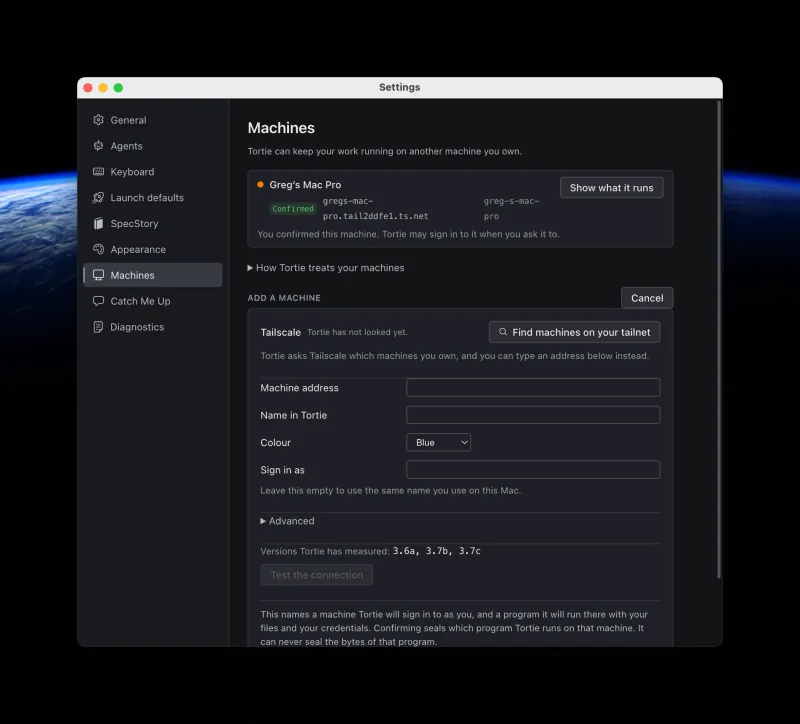
Prepare the remote Mac
- Enable Remote Login and make the machine reachable over SSH.
- Use a private network such as Tailscale when the Macs are not on the same trusted network.
- Install tmux on the remote machine. Tortie's bundled local copy is not uploaded there.
- Add and confirm the machine in Tortie Settings. Tortie can create a dedicated SSH key for you.
Open projects and run sessions
A remote folder becomes a normal project tab. You can start and restore sessions there, browse files, use Quick Open and content search, review diffs and history, and inspect GitHub Actions.
Remote sessions live in that machine's own private tmux server. Tortie connects over SSH and attaches the session into your local window. The bundled local tmux binary is not copied to the remote machine, so the remote host must already have tmux installed.
Remote conversation restoration runs only when Tortie has an exact recorded conversation identifier and resume command. Remote SpecStory capture is not supported.
Choose where Tortie may write
Remote projects stay read only until you choose one write root for that machine in Settings. Tortie then permits edits, saves, new folders, renames, staging, and commits only beneath that confirmed folder.
- Remote saves have no local undo.
- A disconnect can make the final result of a write uncertain.
- Remote hooks and signing run on the remote machine.
- Tortie cannot answer an interactive signing passphrase.
- A commit that times out may still finish remotely.
Know the current limits
The remote implementation handles both BSD and GNU command shapes, but Linux hosts have not been fully tested. Remote processes may continue after the local app loses contact, so an unreachable session remains recorded instead of being guessed away.