
Projects and sessions
Projects are folders. Sessions are named terminals. Splits only change how sessions are arranged.
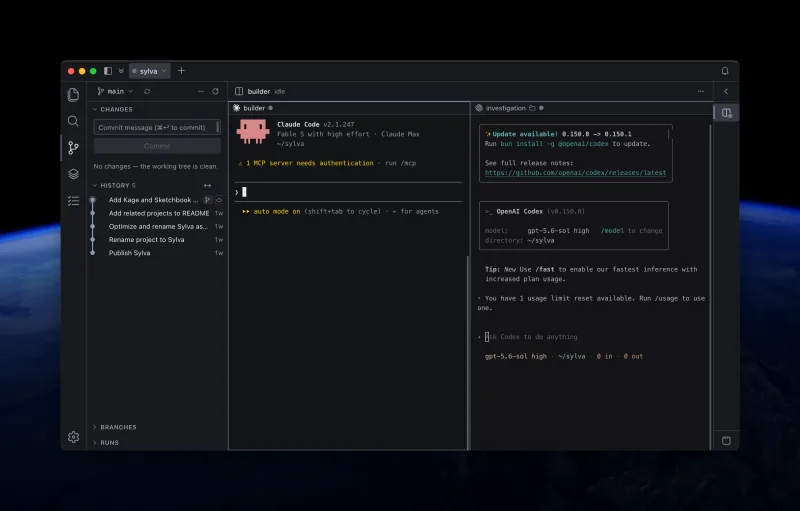
Projects keep work scoped
A project is a folder-backed workspace shown as a top-level tab. Its sessions, files, search results, source-control state, and attention signals stay together.
| Concept | What it means |
|---|---|
| Project | One local or remote folder and everything Tortie knows about work in it. |
| Session | A named, durable terminal running an agent or shell. |
| Split | A visual arrangement of independent sessions inside one project. |
Use ⌘1 to ⌘8 to select a project by position. ⌘9 selects the rightmost project. Use ⌃Tab and ⌃⇧Tab to cycle.
Sessions belong to the work
Every session has its own name, agent, working directory, process, and state. Create one with ⌘T, rename it with F2, and move between sessions with ⌘⌥↑ and ⌘⌥↓.
- A running or idle session continues until you deliberately end it.
- Closing a project tab does not end the sessions inside it.
- Ending or removing a session asks for confirmation.
- Session actions include restore or restart, saved output, loaded context, Catch Me Up, and working-directory copy.
Splits change layout, not ownership
Drag one session onto another to create a split. A project can arrange up to 6 sessions together, but each one remains an independent durable session.
Use ⌘⌥← and ⌘⌥→ to move between split panes. You can rearrange a split, pull a session back into its own tab, or separate the sessions without restarting them.
Context stays inspectable
Press ⌃⇧C to inspect the skills, MCP servers, hooks, plugins, and instruction files available to agents on the current machine. Tortie shows where each item came from rather than hiding it behind a generic capability label.